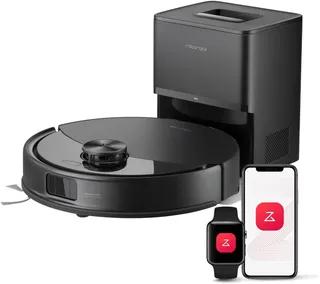
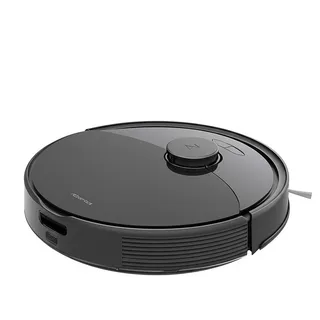
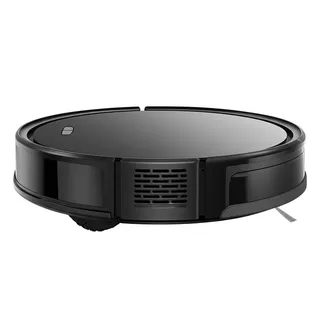
Suction
2,000 Pa
Battery
150 min
Navigation
LiDAR
Mopping
Microfiber cloth
Full Specifications
| Suction Power | 2,000 Pa |
| Battery Life | 150 min |
| Dustbin Capacity | 480 ml |
| Navigation | LiDAR |
| Robot Height | 3.5" |
| Threshold Climbing | 20 mm |
| Brush Roll | Single floating main brush |
| Mopping | Microfiber cloth |
| Self-Empty Dock | No |
| Obstacle Avoidance | No |
| Multi-Floor Maps | Yes |
| No-Go Zones | Yes |
| Carpet Boost | Yes |
| WiFi | 2.4 GHz |
| Voice Assistants | Alexa, Google |
| Warranty | 1 year |
Compare with similar models:
A Once-Premium Robot That’s Now a Budget Buy
The Roborock S6 tells an interesting story about how quickly technology moves in the robot vacuum world. When it launched in spring 2019 at $649.99, this was a flagship machine with impressive LiDAR navigation and a 2-in-1 vacuum-and-mop design. Today? You’ll find them on eBay and Facebook Marketplace for $45 to $200, making this discontinued model an intriguing option for budget-conscious shoppers who don’t mind buying secondhand.
Here’s the honest assessment: the S6 excels on hardwood and tile, handles pet hair beautifully, and offers battery life that still impresses. But it stumbles on high-pile carpet, can’t tell dark rugs from cliff edges, and lacks the obstacle-avoidance smarts of newer robots. If you’re shopping for hard floors and don’t need cutting-edge features, it might be worth a look. Otherwise, the age is starting to show.
What Makes the S6 Tick
Navigation That Still Holds Up
The LiDAR navigation system remains one of the S6’s strongest selling points. Unlike cheaper robots that bump around randomly, this one methodically maps your home using 14 sensors, including a laser distance sensor mounted in the turret on top. The result? A Z-shaped cleaning pattern that covers rooms efficiently, missing very few spots unless you’ve got extreme corners or serious clutter.
A standout feature: LiDAR works perfectly in the dark. While camera-based competitors struggle at night, the S6 navigates just as well whether it’s noon or midnight. It also handles mirrors and reflective surfaces without issue.
The mapping smarts extend to the app, where you can save up to four floor plans, draw virtual walls, create no-go zones, and select specific rooms to clean. Initial mapping takes roughly 15 minutes for a 460-square-foot space, though the robot learns your home’s layout over time and gets more efficient.
Cleaning Power on Hard Floors
On hardwood, tile, vinyl, and laminate, the S6 performs admirably. Testing shows 97% debris pickup on bare floors, with pet hair scoring even higher at 95%. The 2,000 Pa suction power (measured via airflow at approximately 18 CFM) handles everything from fine dust to cereal with ease on these surfaces.
The single floating main brush spins at 1,350 RPM with bristles 250% denser than the previous S5 model. Roborock also claims it runs about 50% quieter than its predecessor, with noise levels ranging from 50 dB in quiet mode to around 62 dB in balanced mode. For reference, normal conversation sits at about 60 dB.
One clever feature: Carpet Boost automatically increases suction when the robot detects carpet beneath its wheels. This was unique among its generation of robots.
The Carpet Caveat
Here’s where things get complicated. While the S6 handles low-pile carpet reasonably well (around 85% effectiveness), performance drops noticeably on medium carpet and takes a real hit on high-pile or shag. Expect something like 82% cleaning effectiveness on thick carpet compared to 100% on hardwood.
Fine particles like baking soda present the biggest challenge. The robot struggles to agitate and lift these from thick pile, with pickup rates dropping to 50-60% in some tests. If your home is mostly carpet, especially plush carpet, you’ll want to look elsewhere.
The cliff sensors create another carpet-related headache. Six sensors on the robot’s underside prevent falls down stairs, but they can’t distinguish between an actual drop and a dark-colored carpet. Black or very dark rugs often trigger false “cliff edge” warnings, causing the robot to retreat. The workaround? Reflective tape on the sensors, though that obviously introduces actual fall risk near stairs.
Mopping: More Mist Than Muscle
The S6’s mopping function exists, but “exists” might be the most generous description. Water drips passively from a 140 mL tank through gravity, with no pump or scrubbing motion. You get two water flow settings adjusted by a physical dial, and the included reusable microfiber cloths do pick up some grime.
But let’s be realistic. This isn’t going to replace actual mopping. The small water tank covers maybe 300-700 square feet per refill (depending on settings and floor type), and without any pressure or vibration, dried spills and stuck-on messes won’t budge. The S6 MaxV variant improved this with a spring-loaded system applying 300g of pressure, but the standard S6 relies entirely on gravity.
Another limitation: the mop attachment doesn’t lift automatically when the robot encounters carpet. You either need to remove it manually before cleaning carpeted areas or set up no-mop zones in the app. This makes mixed-surface homes more tedious to manage.
The Specs at a Glance
| Category | Details |
|---|---|
| Suction | 2,000 Pa max |
| Battery | 5,200 mAh; 150-180 min runtime (quiet mode) |
| Dustbin | 480 mL |
| Water Tank | 140 mL |
| Robot Height | 3.5 inches (fits under most furniture) |
| Threshold Climbing | 20mm (0.8 inches) |
| Filter | E11 washable (2 included) |
| Coverage Per Charge | Approximately 2,700 sq ft |
App and Smart Home Integration
You’ve got two app choices: the legacy Mi Home app (Xiaomi ecosystem) or the dedicated Roborock app. Both hover around 3.5-4 stars on app stores, with common complaints about sign-in loops, slow responsiveness, and occasional firmware update prompts that block operation.
Setup takes 10-15 minutes and requires 2.4 GHz WiFi, as the robot doesn’t support 5 GHz networks. Once connected, you can schedule cleanings, select specific rooms, view cleaning history, and monitor the robot’s location in real time.
Voice control works through Amazon Alexa and Google Home for basic commands like start, stop, and room-specific cleaning. Apple Siri and HomeKit aren’t supported, nor is the newer Matter standard. Do Not Disturb mode defaults to 10 PM through 8 AM but can be customized.
One privacy consideration: maps and cleaning history sync to cloud servers. Some features require an internet connection, though scheduled cleanings run locally without the app.
Obstacle Avoidance: The Blind Spot
This is where the S6’s 2019 origins really show. With only LiDAR navigation and no cameras, the robot has no way to recognize objects on your floor. It handles chair legs and furniture well enough through laser mapping, but anything smaller creates problems.
Shoes, pet toys, charging cables, clothing: the S6 will run into, over, or around these based purely on their physical profile, not what they are. Pet waste? No detection whatsoever. The S6 MaxV addressed this with dual cameras and ReactiveAI that recognizes about 20 object types, but the standard S6 operates essentially blind to anything that isn’t a wall or piece of furniture.
The practical implication: you’ll want to tidy up before running this robot. Tassels and rug fringe are particularly problematic, often tangling in the side brush or getting pulled into the main brush.
Durability and Maintenance
What to Expect Long-Term
Build quality is solid for a 2019 robot, with high-grade plastic and metallic accents. User reports suggest 4-7 years of life with proper maintenance, though you’ll likely see battery capacity decline by year 4.
Common wear items include:
- Bumper sensor springs weakening after 2-3 years, causing “Error 2” (bumper stuck) warnings
- Dust accumulating in motor bearings by years 3-4
- Side brush tangling issues on high-pile surfaces (some users switch to older bristle-style brushes from the S5)
Keeping It Running
Daily maintenance is minimal. Empty the dustbin every 2-3 runs, and you’re good. Weekly, plan to clean hair from the main brush using the included cleaning tool. Monthly, wipe the sensors with a dry cloth and check the side brush for tangles. The E11 filter needs a rinse every couple weeks, with 24 hours of air drying before reinstalling.
Tool-free removal works for the main brush cover and dustbin. The side brush requires a Phillips screwdriver.
Replacement Part Costs
| Part | Cost | Replace Every |
|---|---|---|
| E11 Filter | $15-30 (1-2 pack) | 1-3 months |
| Main Brush | $15-25 | 6-12 months |
| Side Brush | $15-20 (2-pack) | 3-6 months |
| Mopping Cloth | $12-18 (2-pack) | 6-12 months |
Stick with OEM parts. Third-party alternatives have high failure rates, with reports of mop pads peeling, filters underperforming, and brushes deteriorating quickly. Annual maintenance costs run $20-40 for light use, $40-80 for regular use, or $80-120 if you’re running daily with pets.
The Dock: Simple Charging Only
The charging station is basic: a small dock (roughly 6 x 5 x 4 inches) with two contact points for charging. No auto-empty bin, no mop washing station, no fancy features. It outputs 28W and needs about 0.5 meters of clearance on each side and 1.5 meters in front.
Charging takes under 6 hours from empty. The robot automatically returns to dock at 20% battery, charges to 80%, then resumes cleaning from where it left off.
Warranty and Support Reality Check
Roborock offers a 1-year limited warranty covering material and workmanship defects. Normal wear, water damage, unauthorized repairs, and modifications aren’t covered.
Support channels include phone (855-960-4321, 24/7 in the US) and email (support@roborock.com). User experiences skew negative: slow response times (often 24+ hours), heavy scrutiny of warranty claims, and difficulty getting replacement authorization. Online communities often recommend self-repair as faster than navigating the warranty process.
Should You Buy One?
The S6 occupies an unusual spot in 2025. It’s not available new anywhere, with Roborock having replaced it with the S7 series in 2021 and subsequently the Saros line. Secondary market prices ($45-200) make it tempting for hard-floor-focused homes on a tight budget.
Consider a used S6 if:
- Your home is primarily hardwood, tile, or low-pile carpet
- You have pets and need strong pet hair pickup
- You want LiDAR navigation at a bargain price
- You’re comfortable with basic obstacle avoidance
Look elsewhere if:
- You have lots of medium or high-pile carpet
- Dark rugs are common in your home
- You need reliable mopping
- Object avoidance matters (pets, toys, cables on the floor)
- Warranty coverage is important to you
The S6 represents excellent 2019 technology at 2025 prices. Just go in with realistic expectations about what a six-year-old robot can and can’t do.
Variants Worth Knowing
Roborock released two S6 variations:
- S6 Pure: Larger 180 mL water tank, fewer physical buttons, slightly smaller 460 mL dustbin
- S6 MaxV: Dual cameras with ReactiveAI object recognition, higher suction, 300g spring-loaded mopping pressure, and 20-30% better edge cleaning
If you’re shopping used, the MaxV addresses most of the standard S6’s weaknesses, though it commands higher secondhand prices.