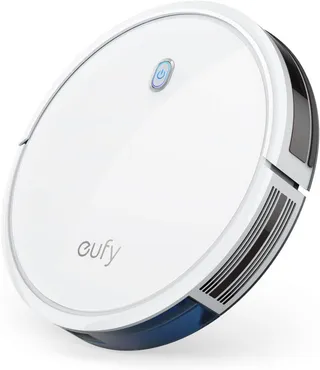
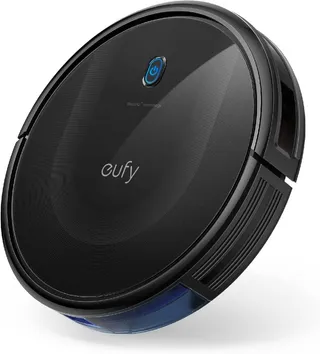
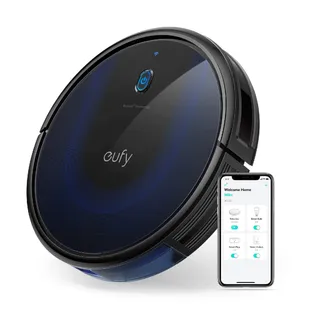
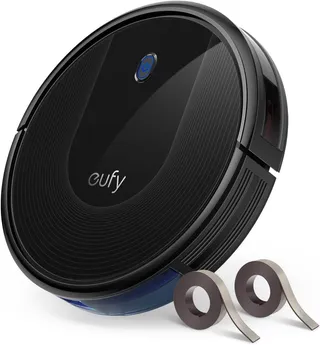
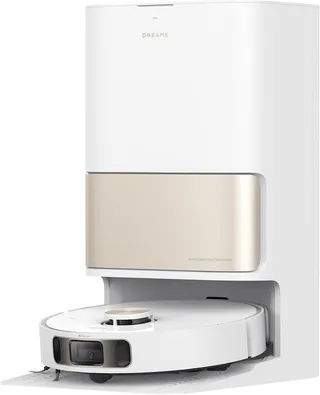
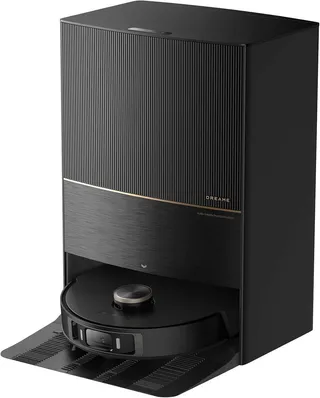
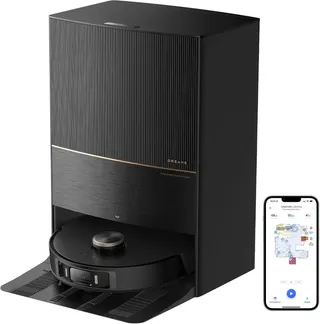
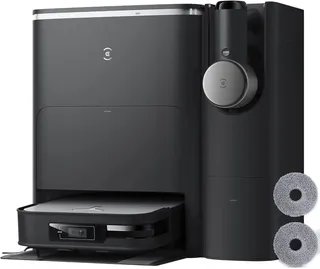
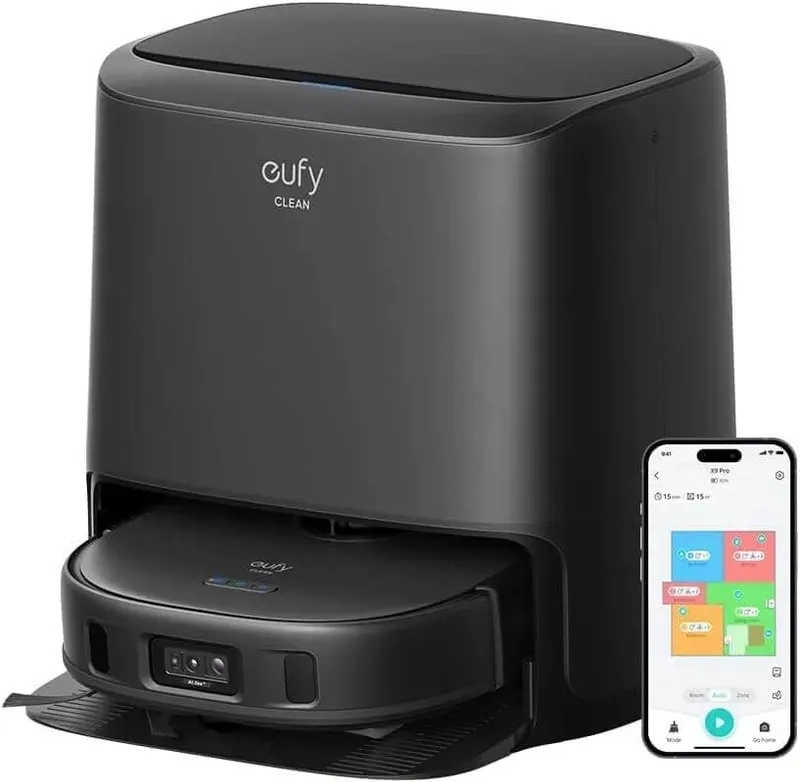
Eufy X10 Pro Omni
Suction
8,000 Pa
Battery
210 min
Navigation
Spinning Lidar
Mopping
2 Spinning Pads
Full Specifications
| Suction Power | 8,000 Pa |
| Battery Life | 210 min |
| Dustbin Capacity | 330 ml |
| Navigation | Spinning Lidar |
| Robot Height | 4.47" |
| Threshold Climbing | 20 mm |
| Brush Roll | Single |
| Mopping | 2 Spinning Pads |
| Mop Raising Height | 12 mm |
| Self-Empty Dock | Bagged |
| Dock Bag Capacity | 2.5 L |
| Mop Washing | Yes |
| Mop Drying | Yes |
| Obstacle Avoidance | Yes |
| Objects Recognized | 100 |
| Multi-Floor Maps | Yes |
| No-Go Zones | Yes |
| Carpet Boost | Yes |
| WiFi | 2.4 GHz |
| Voice Assistants | Alexa, Google |
| Warranty | 1 year |
Compare with similar models:
The Eufy X10 Pro Omni might be the best value in robot vacuums right now. Launched in February 2024 at $799.99, this vacuum-mop combo packs features you’d normally find in $1,200+ machines: self-emptying dustbin, automatic mop washing and drying, LiDAR navigation, and AI-powered obstacle avoidance. By late 2025, you can regularly find it on sale for around $530-600, making it even more compelling.
The robot pairs with Eufy’s all-in-one Omni Station, which handles the dirty work so you don’t have to. Drop in clean water, swap out the dust bag every couple months, and the system essentially runs itself. A white variant joined the original dark gray model in 2025, but the hardware remains identical.
What You’re Getting
The Robot
The X10 Pro Omni measures 353 x 327 x 113.5mm (about 13.9 x 12.9 x 4.47 inches) and weighs 4.56kg (10 lbs). That 4.47-inch height means it won’t squeeze under very low furniture - Eufy recommends at least 5.12 inches of clearance.
The Omni Station is substantial: 365 x 480 x 460mm (roughly 14.4 x 18.9 x 18.1 inches) and 7.24kg empty. You’ll need about 85cm of overhead clearance to open the lid and roughly half a meter of space on each side for proper operation. Don’t plan on tucking this into a closet - Eufy specifically warns against enclosed spaces due to moisture from the drying cycle.
In the box: the robot, Omni Station with power cable, two spinning mop pads, one pre-installed dust bag (2.5L capacity), a cleaning tool, and typically a spare filter (though this varies by region).
Warranty and Support
Eufy offers a standard 12-month warranty. EU buyers get an effective 2-year coverage under consumer protection laws. There’s also a “Plus” membership that adds 6 months of extended warranty for annual members.
Owner experiences with Eufy support have been largely positive. The company has readily replaced faulty units and parts under warranty without much hassle. That said, if something fails just after your warranty expires, you’re mostly on your own - one UK owner reported their unit dying at the 13-month mark with no recourse.
Regional Availability and Pricing
The X10 Pro Omni sells globally, but pay attention to regional differences. The US model runs on 110V only, while EU and Asian versions support 220-240V. Buying from authorized sellers (Eufy’s website, Amazon, Best Buy) ensures you get the right version and valid warranty coverage. Grey-market imports can mean incompatible power requirements and no warranty support.
Pricing varies by region: around $800 list price in the US (frequently discounted to $530-700), approximately €899 in the EU, and £799 in the UK (sometimes as low as £599 on promotion).
Hardware Deep Dive
Suction and Cleaning Power
Eufy advertises 8,000 Pa maximum suction. Some early listings incorrectly stated 18,000 Pa - that figure belongs to other models, not this one. Independent testing confirms the 8,000 Pa rating is accurate, with measured airflow around 14.7 CFM at the vacuum head.
Four suction modes are available: Quiet, Standard, Turbo, and Max. The BoostIQ feature automatically increases suction when the robot detects carpet. Owners consistently report strong pickup, though some found the robot struggles with larger debris like dry pasta or lentils in normal mode - likely a brush design issue rather than insufficient suction.
The Brush System
A single V-shaped combo roller brush sits underneath, paired with one three-pronged side brush. The main brush combines bristles and rubber fins in what Eufy calls the “Pro-Detangle Comb” system. When the robot docks, an integrated comb in the station brushes out hair from the roller during the auto-empty cycle.
Does the anti-tangle system work? Somewhat. Owners with cats report the comb helps reduce hair wrap but doesn’t eliminate it entirely - expect to manually clear hair weekly, especially around the brush ends near the bearings. Rtings noted that large amounts of hair still tangle and require manual cleaning.
Dustbin and Filtration
The robot’s onboard dustbin holds just 330ml - deliberately small since the bot empties into the base after each run. The Omni Station’s bag holds 2.5L, roughly 60 days worth of dust in an average home.
Filtration is a triple-layer system: primary mesh, foam filter, and high-efficiency filter. Eufy doesn’t claim true HEPA certification, and testing suggests the filter leaks some fine dust. If you have severe allergies, this could be a concern - very fine allergens like dander may escape through the exhaust. The filters are washable and cheap to replace (about $10 for a 2-pack).
Battery Life
The X10 runs on a Li-ion battery (around 5,200 mAh based on replacement pack specs) rated for 180-210 minutes on a single charge. More realistic expectations: about 3 hours on low power, 2 hours on balanced, and 1 hour on max. Testing shows it can cover roughly 135-138 square meters (about 1,450 sq ft) per charge in Standard mode.
If the battery runs low mid-job, the robot returns to base, recharges, then resumes where it left off. The battery is user-replaceable - Eufy sells official replacement packs for around $70.
Navigation and Sensors
A top-mounted dToF LiDAR sensor handles mapping and navigation, working even in complete darkness. The front-facing RGB camera with LED illumination powers the AI.See obstacle avoidance system, which Eufy claims can recognize 100+ object types.
The camera can take photos of detected obstacles and display them in the app - useful for seeing what stopped your robot, though this feature is disabled by default for privacy. Eufy says all AI processing happens locally on the device, with no cloud needed for object recognition.
Noise Levels
Here’s where the X10 genuinely impresses. Operating noise measures just 57-58 dB on hard floors and carpet - quiet enough that you can hold a normal conversation nearby. Owners frequently comment on how unobtrusive it is, noting you can barely hear it even at max power.
The one exception: the self-emptying cycle hits about 73 dB (typical vacuum cleaner volume) but only lasts about 10 seconds. The mop washing cycle is much quieter - more like a gentle dishwasher hum. A Do Not Disturb mode lets you schedule when the robot avoids loud activities like emptying or drying.
Mopping Capabilities
The X10 Pro Omni uses Eufy’s MopMaster 2.0 system with dual spinning microfiber pads. These pentagon-shaped pads rotate at 180 RPM and apply approximately 1kg (2.2 lbs) of downward pressure - significantly more than most competitors like the Roborock S8 Pro Ultra (0.6kg) or iRobot Combo J9+ (0.7kg).
How Well Does It Actually Mop?
Test results are mixed. Vacuum Wars found the X10 “genuinely impressive,” completely removing dried coffee and grape juice stains in one pass. Rtings, however, rated stain removal as poor, noting it barely faded dried-on stains even after multiple passes.
What explains the difference? Likely settings and stain types. For everyday footprints and fresh spills, the X10 handles them well. For truly stuck-on or old stains like dried tomato sauce, you might still need manual spot cleaning. The X10 excels at maintaining already-clean floors rather than deep restoration cleaning.
Automatic Mop Lifting
The mop pads lift 12mm when the robot detects carpet - enough clearance for low-pile rugs. In mixed-flooring homes, this means the X10 can vacuum carpeted areas and mop hard floors in a single job. For thicker carpets, you might want to designate them as “No-Mop zones” in the app just to be safe.
Water Management
The Omni Station houses a 3.0L clean water tank and 2.7L dirty water tank. You don’t manually fill the robot - the base handles water supply automatically during cleaning cycles. Eufy claims 3L is enough to mop 150-185 square meters (1,600-2,000 sq ft) two to three times before needing a refill.
The app lets you adjust water flow across three levels and enable an “Edge mop” mode for baseboard cleaning. Note that the X10 doesn’t heat the water for mopping - it relies on room-temperature water and scrubbing action.
Self-Cleaning and Drying
After mopping, the station scrubs the pads against a textured washboard using jets of clean water, then vacuums the dirty water into the waste tank. Finally, it blows 45°C (113°F) heated air to dry the pads completely, preventing that musty mop smell that plagued earlier robot mops. The drying cycle typically runs about 2 hours, adjustable in the app.
Software and App Features
The Eufy Clean app (formerly EufyHome) controls everything. It carries solid ratings - 4.4 stars on Google Play from 22,000+ reviews. The robot only supports 2.4 GHz Wi-Fi, and initial setup requires pairing via Bluetooth.
Mapping and Navigation Control
The X10 can save up to 5 separate maps, perfect for multi-story homes. You can label rooms, merge or split areas, and set No-Go zones and No-Mop zones on each map. Quick Mapping mode can map an average floor in about 5 minutes without cleaning.
Some early users experienced mapping hiccups that were later resolved through firmware updates. The map can show real-time robot position, though some users report occasional lag - it doesn’t affect cleaning quality, just the visual feedback.
Cleaning Customization
The app offers extensive control:
Room-by-Room Settings: Set specific vacuum power and water flow for each room. Kitchen gets max suction and high water; bedrooms get standard suction and low water.
Scheduling: Set different cleaning times for different rooms on different days. Vacuum the living room every morning, mop the kitchen every night.
Cleaning Modes: Choose vacuum only, mop only, or both. There’s also a Deep Clean mode with overlapping coverage patterns.
Virtual Boundaries: Draw No-Go and No-Mop zones anywhere on your map.
Obstacle Photos: Optionally enable the camera to capture photos of objects the robot avoided - helpful for troubleshooting, though disabled by default for privacy.
Smart Home Integration
The X10 works with Amazon Alexa and Google Assistant for basic voice commands like start, stop, and return to dock. There’s no HomeKit integration for Apple users. A “Child Lock” feature in the app can disable the robot’s physical buttons to prevent accidental starts from kids or pets.
Live Camera Feed
You can drive the robot manually and see through its front camera in real-time - essentially turning it into a mobile pet camera. Video only, no two-way audio. It’s more novelty than daily-use feature, but pet owners might find it handy for checking on their animals.
App Issues to Expect
While feature-rich, the app has had some bugs. Users have reported the map occasionally not updating the robot’s live position, laggy button response, and the drying fan sometimes not turning off in the app until manually stopped. Eufy has been actively patching these issues, and the app has improved substantially since launch.
One notable limitation: if your robot gets replaced under warranty, you’ll need to remap your entire home. There’s no backup or transfer feature for maps and settings.
The Omni Station
The all-in-one dock is where the X10’s hands-free promise becomes reality. It empties the dustbin, washes and dries the mop pads, and refills water automatically.
Dust Collection
A powerful vacuum motor sucks debris from the robot’s 330ml bin into a 2.5L disposable dust bag. The process takes about 10 seconds and happens automatically after each cleaning run (or on demand through the app). Replacement bags run about $4 each for official versions.
The station also features a built-in comb mechanism: as suction pulls debris, the roller spins over a comb at the dock’s entrance that catches hair. You’ll still find some hair on the brush, but noticeably less than without this system. Check the dock’s comb area periodically for accumulated clogs.
Mop Washing
The station pumps clean water into a removable wash tray and spins the pads against raised ridges to scrub them clean. Dirty water gets vacuumed into the waste tank - no reusing dirty water. The wash process is fairly quiet and takes a few minutes.
Pad Drying
A 45°C heater fan dries the pads, typically running about 2 hours. You can adjust or disable this in the app. The drying function sounds like a quiet hairdryer hum - noticeable but not disruptive. DND mode can delay drying to daytime hours if needed.
Station Maintenance
Regular maintenance includes:
- Cleaning the pad wash tray (pop it out and rinse off sediment and hair)
- Rinsing the dirty water tank (empty after each session to avoid odors)
- Replacing dust bags when full (roughly every 2 months)
- Checking the hair comb/duct for buildup
Don’t place the station in a closed cabinet or wardrobe - the drying cycle vents humidity. Avoid direct sunlight on the water tanks to prevent algae growth. A laundry room, hallway, or living area corner works well.
Accessories and Ongoing Costs
What You’ll Need to Replace
Dust Bags: Official 6-packs run $24.99 (about $4.17 each). Each lasts roughly 2 months. Third-party options are cheaper.
Filters: Washable and very affordable - official 2-packs cost $9.99. Clean biweekly, replace every 6-12 months.
Main Brush and Side Brush: A complete replacement kit (roller, brush guard, 2 side brushes, filter, 2 mop cloths) costs $43.99. Plan to replace the main brush annually and side brushes every 6-12 months.
Mop Pads: Official 2-packs are $10.99. Machine-wash them regularly; replace when they start fraying (typically every 6-12 months with daily use).
Annual Cost Estimate
Expect roughly $50-70 per year for consumables if using all official parts: dust bags, occasional filter and brush replacements, and mop pads. Rtings flagged “high recurring costs” as a con, but honestly, it’s a modest price for the convenience of self-emptying and auto-mopping.
Third-Party Alternatives
Eufy’s official accessories are reasonably priced, but third-party options can save a few dollars. Quality varies - some cheap filters might not fit perfectly. A sensible approach: stick with official parts during the warranty period, then experiment with generics if desired.
Real-World Cleaning Performance
Hard Floors
The X10 picks up most common debris on tile, hardwood, and laminate, but isn’t flawless. Multiple sources note that the fast-spinning side brush tends to scatter lighter debris like sand or flour, sometimes requiring a second pass. The robot’s cleaning pattern can occasionally miss sections, though firmware updates have improved this significantly.
For everyday dust and dirt, most owners report the vacuum-mop combo leaves floors clean and dust-free. Running daily mitigates any single-pass misses.
Carpets
Carpet performance has drawn mixed reviews. Vacuum Wars found the X10 “exceptionally well” on carpets, especially for deeply embedded dirt like sand. Rtings rated it poorly, noting it left significant debris behind.
The difference likely comes down to coverage. If the robot navigates a room thoroughly, it picks up most debris thanks to its strong suction and carpet-boost feature. Navigation issues in earlier firmware could cause it to miss sections entirely. After updates, systematic coverage is much more reliable.
One caution: if mop pads are attached when cleaning medium-pile carpet without a no-mop zone set, the 12mm pad lift might not fully clear the carpet, potentially reducing vacuum effectiveness.
Pet Hair
Pet hair pickup is decent but not exceptional. The robot picks up hair from hard floors without issue. On carpets, some hair gets stuck on the brushroll and drags along. The anti-tangle comb helps, but doesn’t eliminate the problem - owners with cats or dogs report cleaning the brush weekly is necessary.
For households with heavy shedders, robots with dual rubber roller brushes (like Roomba’s design) handle hair better. But the X10 will still significantly reduce daily hair tumbleweeds.
Edges and Corners
Here’s the X10’s most consistent weakness. It doesn’t pick up all debris along baseboards or in tight corners, even with “Edge clean” mode enabled. The combination of side brush scattering and cautious obstacle avoidance means some dust bunnies remain at wall-floor junctions.
A workaround some users employ: occasionally run the robot with AI avoidance disabled, forcing it closer to edges and furniture legs. Just make sure the floor is clear of actual hazards first.
Obstacle Handling
The AI.See system excels on hard floors, achieving about 80% obstacle avoidance success in testing. On carpet, results drop to about 25% - cables or strings on carpet often get caught before the AI reacts.
The obstacle avoidance can also create “false positives” - avoiding large debris piles instead of vacuuming them, or being overly cautious around furniture legs. If you find crumbs consistently left near table legs, toggling off AI for occasional runs can help.
Thresholds up to about 20mm (0.8 inches) are handled fine. For anything higher, use no-go zones or physical barriers.
Navigation Details
Using LiDAR, the X10 maps areas and follows a Z-shaped cleaning path, outlining room perimeters first then filling in with neat rows. It’s efficient and systematic - far better than older random-bounce vacuums.
Multi-Floor and Large Home Handling
The robot covers roughly 135 square meters per charge. Larger homes simply require a recharge-and-resume cycle. Five map slots accommodate multi-story homes easily - just carry the robot between floors and it recognizes which map to use.
Tricky Scenarios
Mirrors and Glass: LiDAR can mistake mirror reflections as open space, confusing the robot. If you have floor-length mirrors, set a no-go zone in front of them.
Tasseled Rugs: The robot gets stuck on tassels. Tuck them under or set no-go zones.
Low Furniture: At 4.47 inches tall, the X10 won’t attempt furniture below its height, but gaps just slightly taller might cause it to wedge partway and get stuck. Use no-go zones for borderline clearances.
Cluttered Areas: The AI navigates around most obstacles, but extremely cluttered rooms can confuse it. Quick floor prep before cleaning yields best results.
Home Compatibility
Ideal Home Setups
The X10 suits small to large homes. With 3-hour runtime and auto-resume, even 2,000+ square foot floors are manageable. For homes with lots of hard flooring (50%+), the mopping system really shines.
The robot needs about 14 inches of width to pass through gaps comfortably. Narrow passages between furniture might be inaccessible.
Floor Types
Works on all common indoor flooring: hardwood, tile, vinyl, laminate, marble, and low-to-medium pile carpet. It automatically detects carpet and adjusts accordingly.
For high-pile carpet (over about 15mm), the mop lift won’t prevent pad contact - set these areas as no-mop zones or remove pads entirely.
Very dark or black carpets might confuse the cliff sensors, causing the robot to avoid them as if they were drop-offs. This affects many robot vacuums, not just the X10.
Dock Placement Tips
Choose a central location on hard, level flooring with clear access. Avoid tight nooks, areas behind furniture, or anywhere with narrower than 14-inch approaches. Keep away from direct sunlight (algae in tanks) and don’t place in closets or cabinets (moisture from drying).
How It Compares
vs. Roborock Q Revo (~$800-900)
The Q Revo lacks the X10’s AI camera obstacle avoidance and hot-air drying. However, Roborock’s navigation algorithms are considered industry-leading, and dual rubber roller brushes handle hair with virtually no tangles. The Roborock app is also more polished. Choose the X10 if obstacle avoidance matters; choose the Q Revo for slightly better cleaning performance and app experience.
vs. Dreame L10s Ultra (~$800)
Similar feature sets. The X10 has higher mop pressure (1kg vs about 0.3kg) for better scrubbing. The L10s Ultra has an automatic cleaning solution dispenser and possibly better overall vacuum performance. Both target the same buyer - it often comes down to deals and availability.
vs. Roborock S8 Pro Ultra (~$1,400)
The S8 Pro Ultra is considered the gold standard: dual rollers for hair, excellent edge cleaning, fully-lifting sonic mop, refined app. The X10 offers perhaps 80-90% of the features at roughly half the price. For budget-conscious buyers wanting flagship features, the X10 is compelling. For those wanting absolute top-tier performance, the extra money for the S8 Pro Ultra may be worth it.
vs. iRobot Roomba Combo j7+ (~$1,000+)
Roomba combos don’t match the X10’s mopping sophistication - no spinning pads, no automatic washing/drying. However, Roomba vacuuming is excellent, particularly on carpets and edges. iRobot also offers explicit pet waste avoidance guarantees. Choose the X10 for superior mopping automation; consider Roomba if vacuuming performance is priority and you’ll handle mopping manually.
Who Should Buy This
Ideal buyers:
- Budget-conscious shoppers wanting flagship features without flagship prices
- Homes with lots of hard flooring (tile, wood, laminate)
- Pet owners who benefit from AI obstacle avoidance and quiet operation
- Busy people wanting minimal maintenance (set schedules and forget)
Maybe look elsewhere if:
- Your home is mostly carpeted (mopping features go unused)
- You’re extremely particular about edge and corner cleaning
- You need absolute top-tier performance and budget isn’t a concern
- You strongly prefer bagless designs (the X10 uses disposable dust bags)
Known Issues and Limitations
Edge and Corner Cleaning: The most consistent complaint. The side brush scatters debris, and obstacle avoidance can keep it from hugging walls tightly. Expect occasional manual touch-ups.
Hair Tangling: Despite the “Pro-Detangle” comb, hair accumulates on the brush ends. Weekly cleaning is necessary with shedding pets or long-haired household members.
App Quirks: Map not updating in real-time, occasional lag, no backup/transfer of maps if robot is replaced. These have improved with updates but aren’t fully resolved.
No True HEPA: The filter isn’t HEPA-certified, so very fine allergens may escape. Severe allergy sufferers should be aware.
Large Dock: The Omni Station takes up significant floor space and needs overhead clearance. Small apartments may struggle to accommodate it.
Mop Lift Limitations: The 12mm lift handles low-pile carpets and rugs but might not fully clear thicker pile.
Bottom Line
The Eufy X10 Pro Omni delivers flagship robot vacuum features at a mid-range price. It vacuums adequately (not exceptionally), mops well (especially for maintenance cleaning), and automates nearly all the maintenance drudgery through its all-in-one dock.
It won’t win every head-to-head comparison against $1,400 competitors. Edge cleaning could be better. The brush tangles hair. The app has rough edges. But for roughly half the price of premium alternatives, you get self-emptying, mop washing, mop drying, LiDAR navigation, and AI obstacle avoidance.
For most households looking to offload daily vacuuming and mopping, the X10 Pro Omni hits a sweet spot: capable enough to make a real difference, affordable enough to justify the investment, and hands-off enough to actually deliver on the robot vacuum promise.