Suction
2,600 Pa
Battery
120 min
Navigation
Gyroscope & Floor Tracking
Mopping
1 Fixed Pad
Full Specifications
| Suction Power | 2,600 Pa |
| Battery Life | 120 min |
| Dustbin Capacity | 510 ml |
| Navigation | Gyroscope & Floor Tracking |
| Robot Height | 3.1" |
| Threshold Climbing | 15 mm |
| Brush Roll | Single |
| Mopping | 1 Fixed Pad |
| Self-Empty Dock | No |
| Obstacle Avoidance | No |
| HEPA Filter | Yes |
| WiFi | 2.4 GHz |
| Voice Assistants | Alexa |
| Warranty | 1 year |
Compare with similar models:
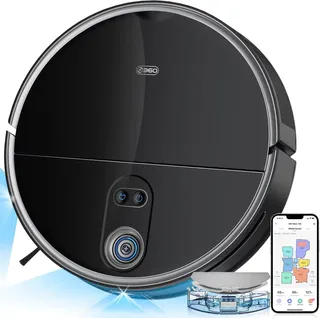
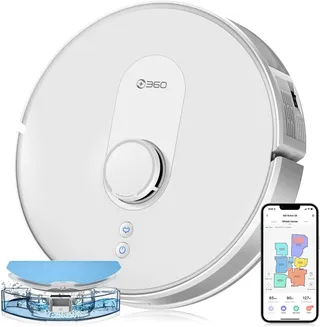
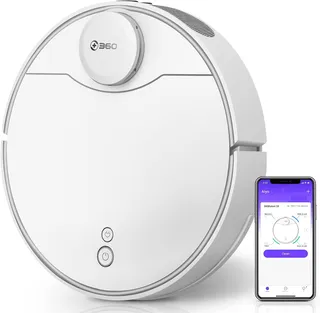
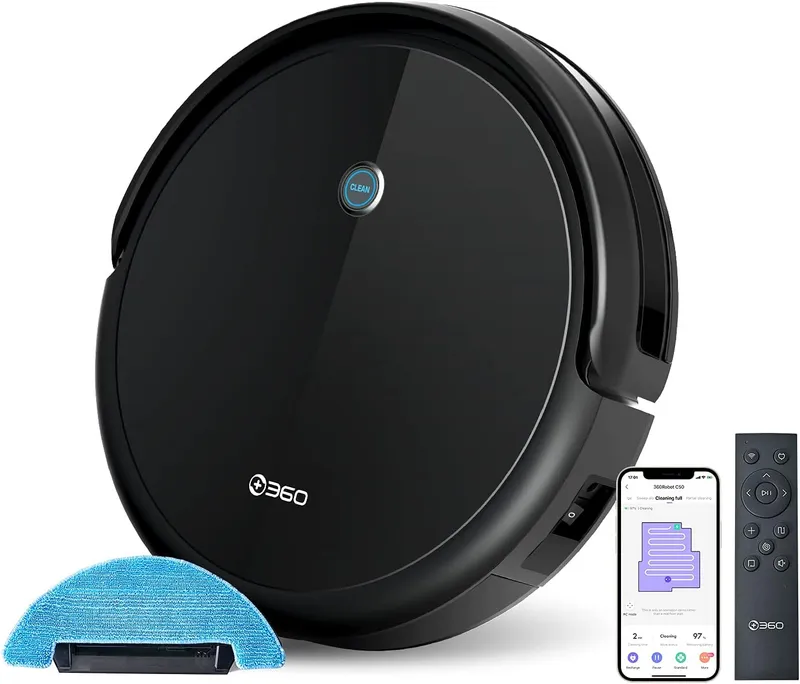
The 360 C50 packs surprisingly strong cleaning power into a budget-friendly package. Released in July 2020, this robot vacuum and mop combo punches well above its weight class, with suction and cleaning results that rival robots costing twice as much.
The Basics
At around $150-200 (sometimes dipping to $98 in European markets), the C50 is a solid deal. The robot measures 31.5 cm (12.4 inches) in diameter and stands just 7.9 cm (3.1 inches) tall, making it slim enough to slip under most furniture. Weighing only about 2.1 kg (4.7 lbs), it’s easy to carry between floors.
The C50 comes exclusively in black with a glossy top and matte sides. Some regional packages label it as the “C50-1,” but it’s the same robot. You can find it through official channels like 360 Smart Life’s Amazon store and AliExpress, as well as major retailers. Buying from authorized sellers ensures warranty support and proper language defaults, as some imported units have shipped with Chinese voice prompts that require the remote control to change.
Hardware
Suction Power
The main spec is 2600 Pa of suction, and the C50 actually lives up to it. Independent testing showed it could pull debris from 10mm-deep crevices, outperforming some robots rated at 3000 Pa. On maximum power, it rivals handheld vacuums, though the noise level rises accordingly.
Dustbin and Filtration
The 510 ml dustbin is large for this class of robot. There’s no automatic emptying, so you’ll need to empty it manually every run or two. The C50 uses triple-layer filtration with a washable HEPA element that captures fine dust and allergens well. Rinse the filters every 15-30 days and let them dry completely before reinstalling.
Brush System
A single main brush with dense bristles handles debris pickup. It works well but doesn’t have any anti-tangle features, so expect to spend a minute after each cleaning session cutting away wrapped hair with the included cleaning tool. Two side brushes (one on each side) sweep debris into the suction path. They’re screwed on rather than clipped, so replacement requires a small Phillips screwdriver.
Navigation
The C50 uses gyroscope-based navigation, cleaning in systematic zigzag patterns rather than bouncing randomly like cheaper robots. It doesn’t create maps you can see in the app, and it can’t save floor layouts between runs. But it covers rooms methodically, finishing with edge cleaning along walls before heading back to dock. Testing showed it navigated around obstacles and covered about 34 square meters across five rooms without missing spots.
There’s no AI obstacle recognition here. The robot relies on infrared sensors and a bump sensor to detect and navigate around furniture. Cliff sensors prevent falls down stairs, and they handle dark floors without false positives. But the C50 won’t identify cables, pet waste, or stray socks. You’ll still need to robot-proof your floors before cleaning.
Battery and Runtime
The 2600 mAh battery delivers up to 120 minutes on low power, covering roughly 100-150 square meters on a single charge. Maximum suction cuts that to around 60 minutes. Charging takes 4-5 hours from empty. The robot returns to dock automatically when battery drops below 20%, but there’s no recharge-and-resume feature. If it can’t finish the job, you’ll need to restart it manually after charging.
Threshold Climbing
The C50 handles thresholds up to about 15mm (0.6 inches). Standard door transitions and low rugs are fine, but 20mm obstacles will stop it. Its slim profile lets it clean under furniture with at least 8cm clearance, a real advantage over taller LiDAR robots.
Noise Levels
Expect about 67 dB on quiet mode, 71-72 dB on standard, and up to 77 dB on maximum, which is loud enough to bother you. Plan to run it while you’re out or in another room if using maximum power. Mop-only mode (motor off) drops to around 56 dB.
Mopping Capabilities
The C50’s mopping system is simple but it works. You swap the dustbin for a water tank and attach a microfiber cloth to the bottom. An electric pump controls water flow rather than relying on gravity drip, and you can adjust between three levels through the app. The pump stops when the robot pauses, preventing puddles.
The 300 ml water tank covers 40-120 square meters depending on flow settings. One cloth comes in the box. It’s reusable and machine-washable.
This isn’t a deep-cleaning scrubber. The mop cloth drags passively across the floor with only the robot’s weight providing pressure. It handles dust, footprints, and light dried spills well. Floors dry quickly afterward. For sticky or heavy stains, you’ll still need to mop manually.
The C50 can’t lift its mop or detect carpets. Running mop mode in a home with rugs means either blocking off carpeted areas or removing the mop attachment entirely.
The App Experience
The 360Robot app (available on iOS and Android) handles scheduling, power settings, and water flow adjustment. It rates around 3.5-4 stars across app stores. Users find it functional if not polished, with occasional connectivity hiccups.
Since the C50 doesn’t create maps, the app shows cleaning status rather than room layouts. You won’t find no-go zones, room selection, or zone cleaning. Available cleaning modes include auto (zigzag pattern), spot cleaning, edge cleaning, and manual control via on-screen arrows. The app offers four suction levels and three water flow settings. Scheduling works well, and a Do Not Disturb mode mutes alerts during set hours.
Amazon Alexa and Google Assistant integration lets you start, stop, or dock the robot by voice, though without room awareness you can’t request cleaning of specific areas.
Setup requires a 2.4GHz Wi-Fi network and a 360 account. You’ll need the included remote control to enter pairing mode. Keep that remote safe. Without it, reconnecting to Wi-Fi becomes nearly impossible since the robot has no on-device Wi-Fi button.
The robot works fine offline using just the remote control, which handles all basic functions. The app communicates through 360’s cloud servers. For EU users, data stays on Frankfurt servers. Privacy-conscious users can operate entirely via remote, though they’ll lose app scheduling and tracking features.
What’s in the Box
The package includes the robot (with main brush and side brushes installed), charging dock, AC adapter, IR remote control (batteries sometimes included), 510 ml dustbin, 300 ml water tank, one mop cloth, one HEPA filter, a cleaning tool for hair removal, and documentation. No spare parts are included, which some reviewers noted as a minor disappointment.
Maintenance
The C50 is reasonably easy to maintain. Empty the dustbin after each full run and tap or rinse the filter every few weeks. Check the main brush weekly for hair tangles. The cleaning tool cuts through wrapped hair quickly. Side brushes occasionally accumulate hair at their bases.
Many parts are washable: dustbin, filter, main brush, and mop cloth. Just ensure everything dries completely before reinstalling, especially the filter.
The robot tracks consumable life in the app and will remind you when parts need attention. Filters typically last 6-12 months with regular cleaning, side brushes about the same. The battery is replaceable, and third-party higher-capacity options (around 3500 mAh for about $30) are available. Expect the original battery to show reduced capacity after 2-3 years of daily use.
Build quality is solid for the price. The chassis feels sturdy rather than flimsy, and the bumper mechanism holds up well. Few structural failures have been reported. Most owners find their C50 still running strong after several years with just routine consumable replacements.
Cleaning Performance
The C50 genuinely impresses here. Its strong suction and systematic coverage translate to floors that look and feel clean.
On fine dust, the robot collects nearly all of it from hard floors, with the HEPA filter preventing blow-through. Users with allergies report no issues during operation.
Cereal, pet food kibble, rice, and similar large debris get picked up without being pushed around. The dual side brushes occasionally scatter a piece, but subsequent passes collect it.
For pet hair, the strong suction pulls hair from carpets that weaker robots would leave behind. Expect to clean the brush frequently if you have shedding pets. Edge mode helps collect hair along baseboards, though corners remain a weak spot for all round robots.
On hard floors (tile, hardwood, laminate), performance is excellent. The rubberized wheels don’t scratch, and systematic coverage means no streaks of missed dust.
The C50 is surprisingly capable on low and medium pile carpet. The high suction compensates for lacking auto carpet boost. High pile or shag carpets challenge it, though it can handle some high-pile rugs on maximum power. Dark carpets work fine, as the cliff sensors don’t mistake them for drop-offs.
Edge mode does a solid job along walls. Being round, the C50 can’t reach deep into 90-degree corners, typically leaving a small triangle of dust. This is standard for circular robots.
Navigation and Obstacle Handling
The C50 moves in organized rows, covering rooms methodically before tracing edges. It slows when approaching obstacles, makes gentle contact with the bumper, then routes around. Furniture legs, dining chairs, and typical household items get navigated without issue.
Cables and small items on the floor can cause problems. The robot will grab phone chargers or wrap socks around its brush, stopping with an error message until you clear the obstruction. Pick up floor clutter before running it.
The robot rarely gets stuck in reasonable environments. Known trouble spots include gaps just barely wider than the robot (it can enter but struggles to turn around), thick shag rugs that might high-center it, and furniture with irregular low points that could trap the top while the bumper goes unpressed.
It cleans equally well in complete darkness since it relies on infrared rather than cameras. Multi-room coverage works, though without maps the robot doesn’t clean room-by-room in a predictable order. It eventually reaches all accessible spaces, just perhaps not in the sequence you’d expect.
Pet Owners
The C50 handles pet hair well, with suction strong enough to extract fur from carpet pile. Regular cleaning significantly reduces visible hair and tumbleweeds. The trade-off is you’ll need to clean the roller brush frequently, possibly after every run with heavy shedders.
No obstacle recognition means no pet waste avoidance. If your pet has an accident, do not run the robot until it’s cleaned up. This is a real limitation for households with pets prone to accidents.
Most pets tolerate the C50, especially on quieter settings. Maximum power (77 dB) may startle some animals initially. The robot’s movements are predictable and gentle, rarely causing stress after pets acclimate. Some cats even enjoy watching it work.
The HEPA filter helps trap pet dander, potentially improving air quality with regular vacuuming. Daily runs can reduce allergen buildup for sensitive family members.
Home Compatibility
The C50 suits small to medium homes best, roughly 1000-1600 square feet on one charge. Larger homes require cleaning in sections or manual restarts after charging since recharge-and-resume isn’t available.
Multi-story homes work fine. Carry the robot to different floors and start it normally. It has no floor memory but cleans each level independently. Some owners buy a second dock for convenience, keeping one on each floor.
The dock needs about 2 meters (6 feet) of clearance in front and half a meter on each side. Place it against a wall on hard flooring. Light-weight docks can slide; double-sided tape helps secure them.
Mixed flooring transitions smoothly. Just remember that mop mode can’t avoid carpets, so either block them or skip mopping in mixed environments. Area rugs might slide under brush action; rug grippers help.
Quiet and standard modes work reasonably for occupied spaces. Maximum power is disruptive enough that most users run it while away from home.
How It Compares
Against other robots in the $150-250 range, the C50 holds up well. Where competitors like the Eufy RoboVac 11S use random navigation and offer around 1300 Pa suction with no mopping, the C50 cleans systematically with nearly double the suction power and adds mop capability. Roomba 600 series models bounce randomly with lower suction and no mopping. Budget Chinese alternatives typically offer similar suction but random or less sophisticated navigation.
The Xiaomi Mi Robot Vacuum-Mop Essential makes a close comparison with similar pricing and visual navigation. The Xiaomi offers slightly better path planning and app polish but slightly lower suction and a smaller combined dust/water tank.
Moving up to the $300-500 range brings LiDAR mapping, no-go zones, room-specific cleaning, and recharge-and-resume. If you need those features, look elsewhere. But pure cleaning power? The C50 holds its own against robots costing twice as much.
The C50 is best for budget-conscious buyers wanting capable cleaning, homes with lots of hard flooring that could use regular light mopping, apartments and single-story homes up to about 1200 square feet, homes with low furniture, pet owners willing to do brush maintenance, and first-time robot vacuum users.
It’s not ideal for very large or multi-floor homes needing seamless automated coverage, cluttered environments with frequent floor hazards, users wanting minimal interaction and maximum automation, anyone expecting deep scrub mopping, or tech enthusiasts wanting extensive app customization.
Warranty and Support
The standard warranty covers 12 months from purchase, including the robot, dock, and battery. Manufacturing defects and hardware failures under normal use qualify. Consumables like brushes and filters aren’t covered beyond dead-on-arrival issues.
360 maintains a US support line (English and Spanish, 9am-6pm EST, 365 days). Response quality varies; some users report quick replacements for defective units while others experience slow email responses. Buying through Amazon often simplifies warranty claims. Keep original packaging for at least a month in case returns are needed.
Known Issues
Most C50 owners have smooth experiences, but a few problems have surfaced:
Wi-Fi pairing requires pressing the Wi-Fi button on the included remote to enter pairing mode. Lose the remote and reconnection becomes extremely difficult, as there’s no on-device alternative.
Some imported units default to Chinese voice prompts. The remote’s speaker button cycles through languages, and the app also allows changes.
Rare reports of robots failing to charge past a certain percentage or continuously announcing “charging” without progress typically indicate defective battery packs. Dirty dock contacts can cause the robot to repeatedly announce it’s starting to charge; cleaning them usually fixes this.
Dirty cliff sensors can occasionally cause the robot to hesitate or refuse to clean certain areas. Regular sensor cleaning prevents this.
These issues are relatively uncommon. Most complaints center on missing high-end features rather than actual faults.
What It Can’t Do
To set expectations: the C50 cannot create or save maps, meaning no virtual no-go zones, no room selection, and no multi-floor memory. It won’t resume cleaning after recharging. There’s no obstacle recognition for cables, pet waste, or small items. Scheduling is time-based only, not location-specific. The mop can’t avoid carpets automatically. There’s no auto carpet boost, no self-emptying dock, and no dirt detection for extra passes on problem areas.
It’s a straightforward cleaning robot that does the basics well at a low price, trading away premium features for value.