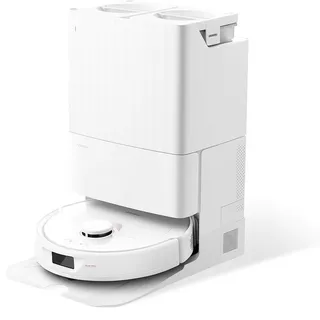
Ecovacs T10 Omni
- mopping self empty mop washing mop drying lidar obstacle avoidance no go zones multi floor carpet boost
Released 2023
Suction
5,000 Pa
Battery
260 min
Navigation
dToF Lidar
Mopping
2 Spinning Pads
Full Specifications
| Suction Power | 5,000 Pa |
| Battery Life | 260 min |
| Dustbin Capacity | 400 ml |
| Navigation | dToF Lidar |
| Robot Height | 4.1" |
| Threshold Climbing | 20 mm |
| Brush Roll | Single |
| Mopping | 2 Spinning Pads |
| Self-Empty Dock | Bagged |
| Dock Bag Capacity | 3 L |
| Mop Washing | Yes |
| Mop Drying | Yes |
| Obstacle Avoidance | Yes |
| Objects Recognized | 30 |
| Multi-Floor Maps | Yes |
| No-Go Zones | Yes |
| Carpet Boost | Yes |
| HEPA Filter | Yes |
| WiFi | 2.4 GHz |
| Voice Assistants | Alexa, Google |
| Warranty | 1 year |
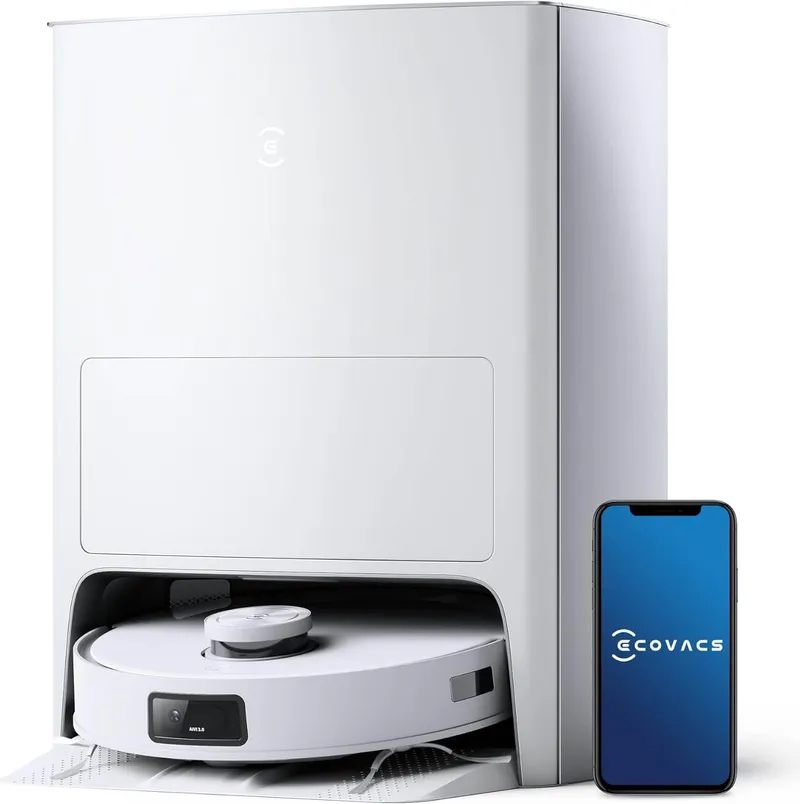
Compare with similar models:
The Ecovacs T10 Omni does almost everything right. It vacuums with 5000Pa of suction, mops with spinning dual pads, empties its own dustbin, washes those mop pads, and dries them with hot air. But there’s one glaring omission that’s hard to overlook: it can’t lift its mops when rolling onto carpet. For a robot that launched at $1,199 in April 2023, that’s a puzzling gap.
The Missing Feature That Matters
Here’s the problem. If you have both hard floors and carpeted rooms, most premium robots from 2023 onward can raise their mops before crossing onto carpet. The T10 Omni cannot. You’ll need to run separate vacuuming and mopping sessions, or manually designate no-mop zones for every carpeted area. Competitors like the Roborock S7 MaxV Ultra, Dreame L10s Ultra, and even Ecovacs’ own X1 Omni all include mop lifting. The T10 Omni’s omission feels like a cost-cutting measure on an otherwise premium machine.
What It Does Well
Beyond that limitation, the T10 Omni delivers solid performance across the board.
Navigation and Obstacle Avoidance
The TrueMapping 2.0 system uses dToF (direct Time of Flight) sensors paired with AIVI 3.0 obstacle avoidance. A starlight camera helps it navigate in dim rooms and recognize over 30 object types—shoes, cables, socks, pet waste, and the usual floor clutter. It builds multi-floor maps (up to two) and displays them in 3D within the app.
Cleaning Power
That 5000Pa maximum suction handles hard floors and low-pile carpets without issue. Third-party testing confirms strong debris pickup, especially on smooth surfaces. Carpet boost kicks in automatically when the robot transitions from hard flooring, ramping up suction power. High-pile or shag carpets remain challenging, but that’s true for most robot vacuums.
For mopping, the OZMO Turbo 2.0 system spins two mop pads at 180 RPM with about 10N of downward pressure each. It handles fresh spills and light daily maintenance well. Dried, sticky stains are another story—you’ll want to pre-treat those or go over them with a traditional mop.
The OMNI Station
The base station is substantial at 448 x 430 x 578mm, so plan your placement accordingly. But it earns that footprint. After each cleaning session, it empties the robot’s 400ml dustbin into a 3-liter bag (good for roughly 60 days), washes the mop pads, and dries them with hot air over 2 to 4 hours. Both clean and dirty water tanks hold 4 liters each.
There’s no hot water washing or automatic detergent dispensing, and the wash tray needs occasional manual cleaning. But compared to emptying a dustbin and hand-washing mop pads after every run, it’s a meaningful time saver.
Physical Specs
The robot measures 362 x 362 x 103.5mm and weighs 4.88kg. It can climb thresholds up to 20mm and carries a 230ml internal water tank for mopping sessions. The 5200mAh battery delivers up to 260 minutes in Quiet mode, though typical runs in Standard mode land between 140 and 180 minutes. Full recharge takes about 6.5 hours—longer than some competitors.
Noise levels range from 58 dB in Quiet mode to 73 dB at maximum power. The HEPA filter helps with allergens and fine dust.
App and Smart Features
The Ecovacs Home app provides the usual suite of controls: interactive mapping, virtual boundaries, no-go and no-mop zones, room-specific schedules, and adjustable suction and water flow settings per room. You can watch real-time cleaning progress and access video monitoring with two-way audio through the robot’s camera.
YIKO, Ecovacs’ on-device voice assistant, responds to voice commands without requiring an always-listening smart speaker. The T10 Omni also works with Amazon Alexa and Google Assistant for broader smart home integration.
Pet Owners
The anti-tangle brush design handles pet hair reasonably well on both hard floors and carpets. AIVI 3.0’s ability to spot and avoid pet waste adds peace of mind—no one wants their robot spreading an accident across the house. The auto-empty station means you’re not handling fur-filled dustbins constantly.
Pricing and Value
Ecovacs originally priced the T10 Omni at $1,199. Street prices have dropped to $799-949, making it more competitive. At the lower end of that range, the lack of mop lifting stings less. But if you’re paying anywhere near the original MSRP, you should expect that feature—especially when competitors include it.
Maintenance Costs
Replacement parts run typical for this category:
- Dust bags (3-pack): $15-20
- Mop pads (2-pack): $15-25
- Side brushes (4-pack): $12-18
- Main brush: $25-35
- HEPA filters (2-pack): $18-25
Plan to replace mop pads every 3-6 months, side brushes on a similar schedule, and the main brush every 6-12 months depending on use. Dust bags typically last 30-60 days, and filters need swapping every 2-3 months.
The Bottom Line
The T10 Omni cleans well, navigates intelligently, and its all-in-one station genuinely reduces the manual effort of owning a robot vacuum. But the missing mop lift forces a compromise that competitors don’t require. If your home is entirely hard floors, or you don’t mind running separate vacuum and mop cycles, the T10 Omni at its discounted price offers real value. Mixed-floor households should look at robots that can actually raise their mops—including other models in Ecovacs’ own lineup.